What FormConnect Pro actually does (from App Store listing)
Stop drowning in paperwork! The FormConnect Pro app transforms your iPad and iPhone into a powerful mobile form solution eliminating the need for messy paper forms and tedious data entry. Design custom forms tailored to your exact needs, collect data offline, and seamlessly share information with your team. Boost productivity, reduce errors, and go green with the FormConnect Pro app! Designed for individuals and small businesses that need a versatile and efficient solution for data collection a…
Stop drowning in paperwork! The FormConnect Pro app transforms your iPad and iPhone into a powerful mobile form solution eliminating the need for messy paper forms and tedious data entry. Design custom forms tailored to your exact needs, collect data offline, and seamlessly share information with your team. Boost productivity, reduce errors, and go green with the FormConnect Pro app! Designed for individuals and small businesses that need a versatile and efficient solution for data collection and organization.
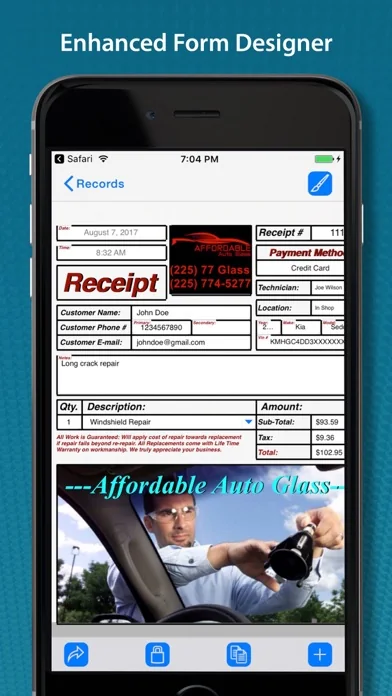
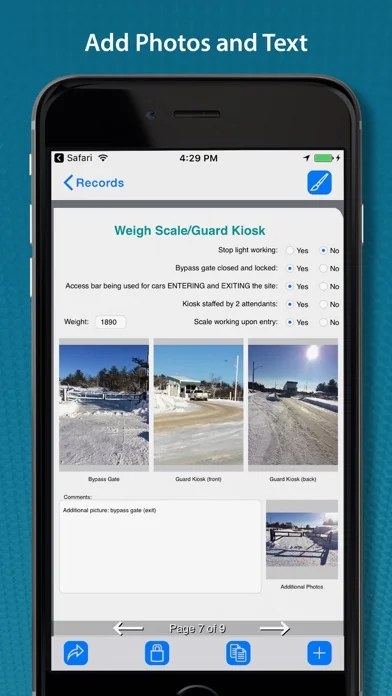
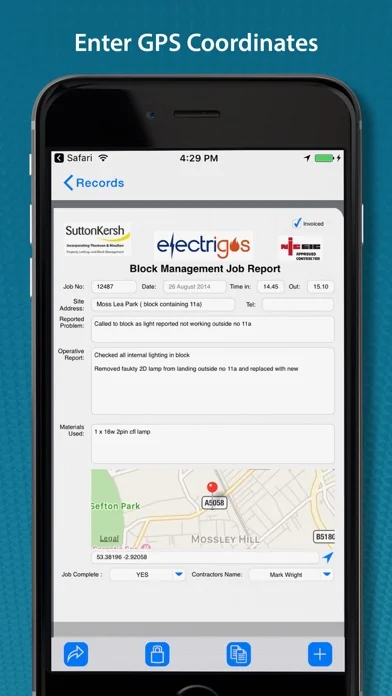
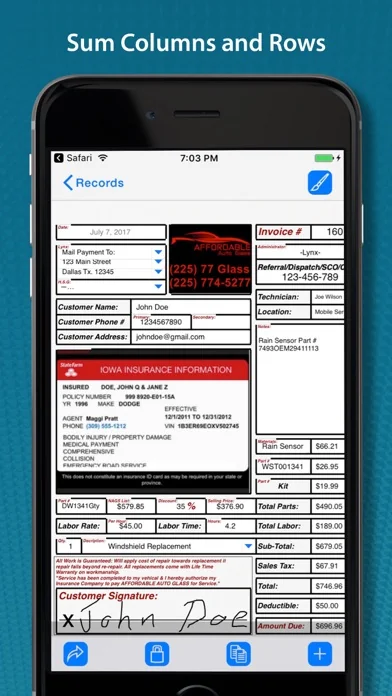
Key Features: • Customizable Form Templates: Create forms from scratch or use pre-built templates. • Multiple Field Types: (text, dates checkboxes, drop-down lists, radio buttons, signatures, photos, GPS). • Multiple Themes: (folder, clipboard, binders etc.) to change the look of the form (iPad Only). • Touch Input: Data input via touch or an external keyboard. • Signature Capture: Use your finger or a stylus. • Photo Capture: Take photos with your iPhone or iPad’s camera. • Photo Annotation: Annotate on top of photos. • Form Sharing: Share forms with other FormConnect Pro users. • Export Options: Email forms or upload them to Dropbox, Box, Google Drive or Microsoft OneDrive. • File Formats: Forms can be saved and exported in one or more of the following file formats: (PDF, CSV, XML, HTML, FMC). • Form Printing: Print forms to any printer that supports Apple’s AirPrint wireless protocol. • Pre-populate Fields: Auto populate data into fields when you open the form. • Auto increment: Auto generate a sequential number in a text field. • Text Formatting: (bolding, italicizing and coloring). • Field Alignment: (left, right and center). • Field Calculation: A spreadsheet type function for summing rows and columns. • Field Linking: Link fields together so that data entered into one field automatically populates another field. • Form Locking: Lock a filled out form from being altered. • Required Field: Specify fields on the form that must be filled out before the form can be saved. • Kiosk Mode: Locks the user interface to a specific set of functions. • GPS Data Capture: Display latitude and longitude coordinates.
WHICH FORMCONNECT APP IS RIGHT FOR YOU?
• FormConnect Pro: Best for individual contractors, field workers, and businesses needing a powerful, local, offline form builder on their iPad and iPhone.
• FormConnect Pro+: Best for power users and small teams. Adds enhanced form design and form syncing capabilities across iPad, iPhone, and Mac.
• FormConnect ProMax: Best for organizations and enterprises. Adds a dedicated central server database with administrative user permissions. Allows you to design custom forms on your iPad, Mac, or PC using a web browser and fill them out and sync them across iOS, macOS, and Android devices.
Terms of Use: https://www.formconnections.com/terms-of-use/ Privacy Policy: https://www.formconnections.com/about-2/privacy-policy/
🆕 What's new · v3.6.1
- Redesigned the User Interface for the Field Editor.
- Added the ability to change the subtype of a text or date field parameter.
- Added the ability to rearrange the order of a drop-down list or a radio button field.
- Added the ability to bold/italicize Individual words inside a text label field.
- Bug fixes and performance improvements.
Comparable iOS apps
The five apps in Business with the closest revenue to FormConnect Pro. Click any to see its detail page.
Each forecast combines App Store rating, ratings count, monetisation model, pricing tier, IAP signals and ad-supported flag.
The base estimate is then multiplied by a per-category scaling factor learned from apps with founder-verified MRR.
Every number on this page comes from public APIs and GetAppValue's own snapshot history.
Full methodology covers input variables, accuracy bands per category and how we treat apps without comparable anchors.
See also the live data on FormConnect Pro's tracker page for current rating, reviews and snapshot timeline.
Building something similar? Get a free AI audit with $-revenue forecasts for every recommendation.


 Stempeluhr
 КСД — книги онлайн
 Activate Your Voice
 GetCode - Virtuelle Nummern
 Virtuelle Nummer für WhatsApp!