iOS app
from Lux Optics Incorporated
· Photo & Video
ML forecast★ 4.4 · 13K→ StablePaid
~15.8K/mo
ML revenue forecast.
Calibrated against 1744 apps in this category.
Confidence band
±15%
High — many comparable apps with verified data
At a glance
Earns 11.41× more than the category median (1.4K/mo).
Ranks #139 of 1,744 in Photo & Video (top 8.0% by revenue).
Launched May 30, 2017 · last updated Jul 11, 2026.
24 months of snapshot history tracked.
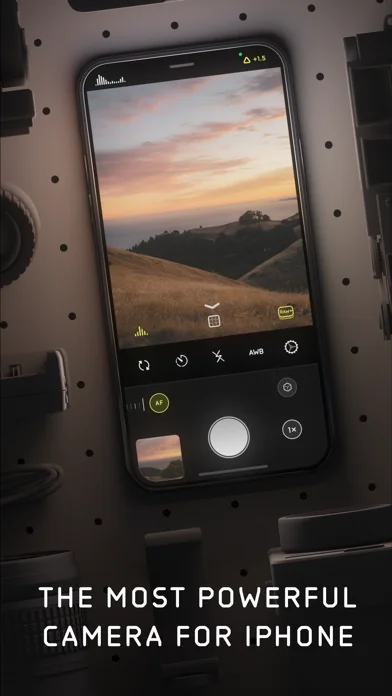
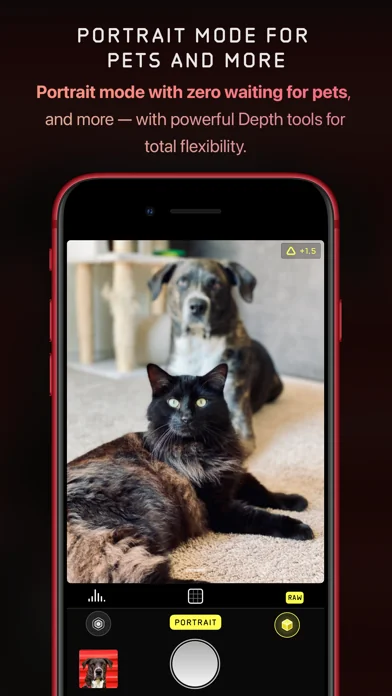
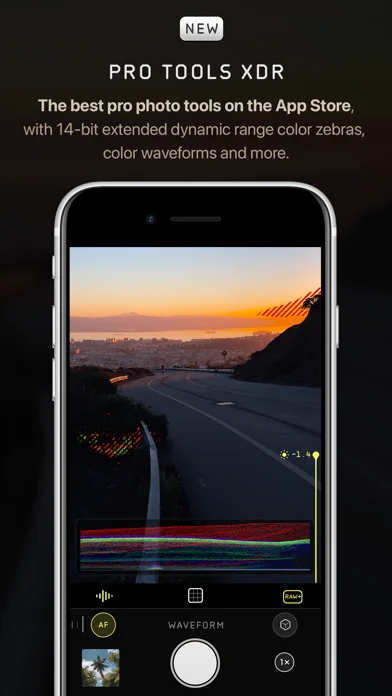
What the app looks like
Live screenshots from the App Store, captured by our snapshot worker. Tap any image to enlarge.
Halide Mark II - Pro Camera's revenue trajectory
Forecast revenue from snapshot history. Last 24 months.
Where Halide Mark II - Pro Camera sits in Photo & Video
Revenue distribution of 1744 comparable apps. Halide Mark II - Pro Camera highlighted.
Halide Mark II - Pro Camera vs comparable apps
Revenue trajectory side-by-side. Bold = Halide Mark II - Pro Camera, ghosted = peers.
App spec
Version
3.1.2
Last update
Jul 11, 2026
Launched
May 30, 2017
Min OS
18.0
Rating
4+
Price
Free
Monetization
Paid
Languages
NL, EN, FR, DE +7
What Halide Mark II - Pro Camera actually does (from App Store listing)
Halide unleashes your iPhone’s camera. Disable iPhone processing for natural photos, apply powerful film situations, access manual controls, and more. Halide has over 24,000 5-star ratings and is an App Store Editors’ Choice and Apple Design Award winner.
Halide’s Looks are built into the camera itself, changing how your photo is captured and processed - not just a color filter applied after the fact. These are the best photos you can get out of an iPhone. Start with Process Zero for natural, f…
Halide unleashes your iPhone’s camera. Disable iPhone processing for natural photos, apply powerful film situations, access manual controls, and more. Halide has over 24,000 5-star ratings and is an App Store Editors’ Choice and Apple Design Award winner.
Halide’s Looks are built into the camera itself, changing how your photo is captured and processed - not just a color filter applied after the fact. These are the best photos you can get out of an iPhone. Start with Process Zero for natural, film-like results, without any AI or computational photography. Explore our rich set of creative Looks developed with Hollywood colorist Cullen Kelly, and powered by sophisticated film simulation.
For nine years, Halide has set the standard for professional iPhone camera control. Nail your manual focus with Focus Peaking and the Focus Loupe. Compose your shots with intention using sophisticated framing guides, from a basic grid and rule of thirds, to the golden ratio and rabatment of the rectangle. Get perfect macro shots with Halide's dedicated Macro Mode.
Hate editing? Halide gives you amazing results straight out of the camera. But when you need to fine-tune, Photo Lab makes it fast and intuitive. Try dramatically different Looks, adjust framing and exposure, experiment with film simulation, or rescue details in highlights and shadows with Tone Fusion.
You can even import and load RAWs from other apps, such as Apple’s own camera app, or standalone cameras by Canon, Nikon, Sony, Leica, Fujifilm, and Hasselblad. Specific formats are listed below.
*Halide is a paid app. Try it free for 7 days with an annual membership, or buy it outright with a one-time purchase — no subscription required.*
Features: - Shoot without Apple’s computational photography for stronger contrast and more natural results. - Photographic Looks developed in collaboration with esteemed Hollywood colorist Cullen Kelly. - Rescue details in shadows and highlights with a Tone Fusion slider inspired by darkroom dodging and burning. - Try any Look on existing ProRAW files - including photos shot in Apple’s camera app. - Become a better photographer by signing up for our 10-day tutorial directly from the app. - Full manual exposure controls including shutter speed, ISO and white balance. - Technical Readout to view all details of your iPhone camera hardware. - Also runs on iPad, for an amazing Photo Lab experience.
Terms of Use can be found here: https://halide.cam/terms
Privacy: https://www.lux.camera/privacy/
🆕 What's new · v3.1.2
Welcome to Halide 3.1! This update includes a bunch of enhancements from our big 3.0 we launched six weeks ago. Let's dig in.
SCARLET
For more warmth, richness, and medium-high contrast try our new "Scarlet" look. It features high saturations, particularly around reds. Try it with summer sunsets!
MORE FRAME CONTROLS
In the "Frame" tab of the editor, you can now rotate and flip your photo, and even make perspective corrections-- perfect for architecture shots.
COMPRESSION CONTROL
We've added a capture setting to tweak the exact level of compression to apply. This is great for finding the right balance between texture and file size.
EXPOSURE BIAS RESET
We've added a button in our exposure menu to reset exposure bias to zero. There's also a long-press shortcut. When in manual mode, instead of resetting the bias, This feature re-meters exposure.
ALWAYS-ON FOCUS TOOLS
In 3.0, focus tools were only enabled when adjust focus. With 3.1, you can just leave them on all the time when in manual focus mode.
RAW-ONLY LOOK
You can now enable a "RAW-Only" mode within capture settings. This enables a specific look that does not save a JPEG. Because RAWs can render dramatically different in other apps, we recommend you only enable this feature if you know what you're getting into.
EXPOSURE/FOCUS LOCK
When in manual focus or manual exposure, tapping the viewfinder will not adjust either setting.
There's other small polish improvements and bug fixes. If we missed something, let us know in our Discord or send us an email at support@lux.camera. We read every message!
-- Team Halide
Comparable iOS apps
The five apps in Photo & Video with the closest revenue to Halide Mark II - Pro Camera. Click any to see its detail page.
Each forecast combines App Store rating, ratings count, monetisation model, pricing tier, IAP signals and ad-supported flag.
The base estimate is then multiplied by a per-category scaling factor learned from apps with founder-verified MRR.
Every number on this page comes from public APIs and bumetric's own snapshot history.
Full methodology covers input variables, accuracy bands per category and how we treat apps without comparable anchors.
See also the live data on Halide Mark II - Pro Camera's tracker page for current rating, reviews and snapshot timeline.
Building something similar? Get a free AI audit with $-revenue forecasts for every recommendation.


 Hailuo Al: Image&Video Maker
 PrettyUp - Video Body Editor
 Juxtaposer: cut, combine, edit
 Hula - KI Video-Generator
 HeyGen: AI Video Generator