ML revenue forecast.
Calibrated against 2190 apps in this category.
Confidence band
±15%
High — many comparable apps with verified data
At a glance
Earns 4.38× more than the category median (1.0K/mo).
Ranks #370 of 2,190 in Productivity (top 16.9% by revenue).
Launched Jan 18, 2011 · last updated Jul 13, 2026.
10 months of snapshot history tracked.
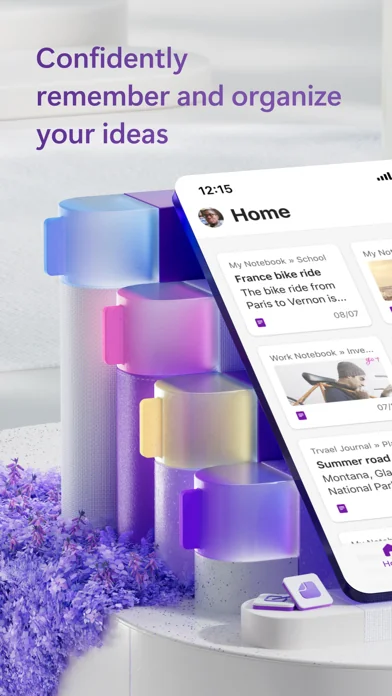
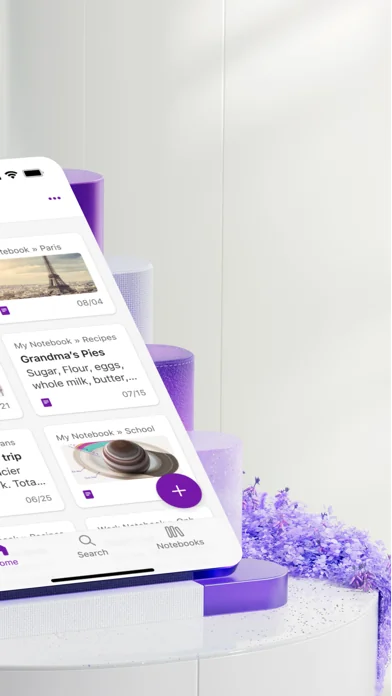
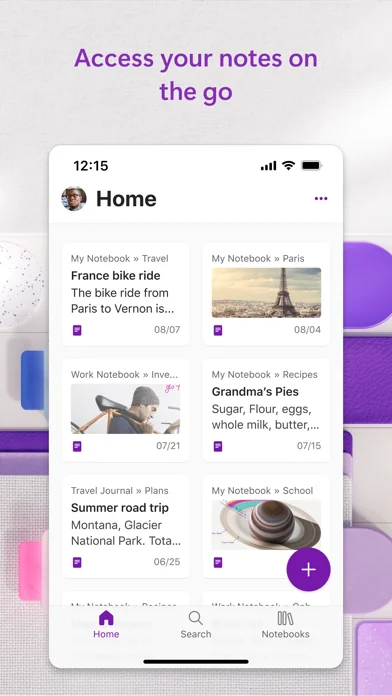
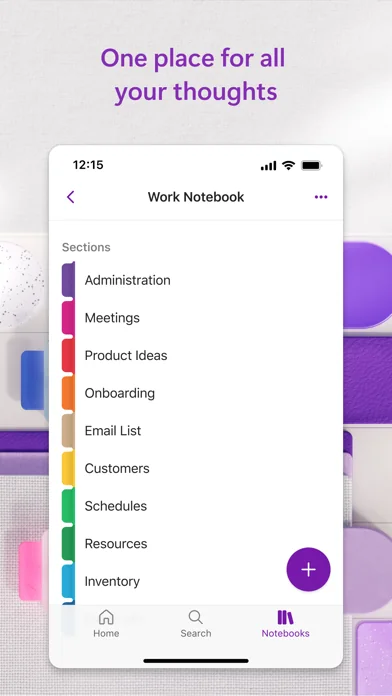
What the app looks like
Live screenshots from the App Store, captured by our snapshot worker. Tap any image to enlarge.
Microsoft OneNote's revenue trajectory
Forecast revenue from snapshot history. Last 10 months.
Where Microsoft OneNote sits in Productivity
Revenue distribution of 2190 comparable apps. Microsoft OneNote highlighted.
Microsoft OneNote vs comparable apps
Revenue trajectory side-by-side. Bold = Microsoft OneNote, ghosted = peers.
App spec
Version
16.111.5
Last update
Jul 13, 2026
Launched
Jan 18, 2011
Min OS
18.0
Rating
4+
Price
Free
Monetization
Freemium
Languages
AR, CA, HR, CS +29
What Microsoft OneNote actually does (from App Store listing)
Supercharge your productivity with OneNote. Organize thoughts and ideas, and simplify planning important moments with your digital note-taking. Smart notes on your phone can sync across all your devices with Microsoft OneNote.
Combine the power of digital ink with the natural feel of a pen to help you sketch out your inspirations. Take smart notes and capture every detail with voice transcription. Our writing tools make it easy to capture your notes, review your content later, and access AI stu…
Supercharge your productivity with OneNote. Organize thoughts and ideas, and simplify planning important moments with your digital note-taking. Smart notes on your phone can sync across all your devices with Microsoft OneNote.
Combine the power of digital ink with the natural feel of a pen to help you sketch out your inspirations. Take smart notes and capture every detail with voice transcription. Our writing tools make it easy to capture your notes, review your content later, and access AI studying.
Take smart notes, share writing ideas, organize note-taking, and collaborate on your creative ideas and writing - all with Microsoft OneNote.
ONENOTE APP FEATURES:
AI-POWERED COPILOT NOTEBOOKS • Make sense of your files with AI chat • Summarize meetings, classes, and discussions easily from your notes • Listen to audio overviews, created directly from the notes you take
AI NOTE-TAKING WITH HOMEPAGE AND QUICK CAPTURE • Streamlined writing: Find notes from your connected accounts in one place to easily create, find, & act on your notes. Now with Samsung Notes integration. • AI workflows with Copilot: Capture text, voice, ink or images to your notepad with Quick Capture • Smart notes: Capture smart notes in ink. Click the pen button & write down thoughts • Write smart notes, draw & clip things from the web to add to your writing notebook
SCAN PICTURES & EXTRACT TEXT FROM WRITING • Note-Taking Scanner: Scan documents, pictures, or files to extract writing • Capture images to extract text from documents & more • Apply different filters to change colors, add ink, crop images & more
SMART NOTES & AUDIO TRANSCRIPTION • Voice smart notes: Take accurate notes with voice dictation • Click the Mic button to record, then click it again to end recording & save the file • Dictate smart notes in 27 languages (note some languages are in preview) & use Auto-Punctutation to format
NOTE-TAKING THAT HELPS YOU ACHIEVE MORE • Organize writing using to-do lists, follow-up items, marks for what’s important & custom labels • Use OneNote as a notebook, journal or a notepad for work or AI studying • Notepad badge hovers on screen & lets you quickly write your thoughts down any time • NEW Sticky notes - Make quick memos & note-taking
COLLABORATE WRITING & SHARE SMART NOTES • Write meeting notes, brainstorm projects, & draw attention to important points • Take notes & save ideas across your favorite devices, no matter what device your team likes to use
BETTER TOGETHER WITH MICROSOFT OFFICE • OneNote is part of the Office family & works great with your favorite apps, such as Excel or Word, to help you do more
Write notes, save ideas & keep up with your to-do list with Microsoft OneNote.
APP REQUIREMENTS: OneNote is free on iPhone and many other devices. Get started today! Download OneNote and sign in with your Microsoft Account or the account assigned to you by your work or school.
Monthly Microsoft 365 subscriptions purchased from the app will be charged to your App Store account and will automatically renew within 24 hours prior to the end of the current subscription period unless auto-renewal is disabled beforehand. You can manage your subscriptions in your App Store account settings.
This app is provided by either Microsoft or a third-party app publisher and is subject to a separate privacy statement and terms and conditions. Data provided through the use of this store and this app may be accessible to Microsoft or the third-party app publisher, as applicable, and transferred to, stored, and processed in the United States or any other country where Microsoft or the app publisher and their affiliates or service providers maintain facilities.
Please refer to the Microsoft Software License Terms for Microsoft 365. See “License Agreement” link under Information. By installing the app, you agree to these terms and conditions.
🆕 What's new · v16.111.5
This month’s update is bug fixes only.
Thanks for using OneNote! We listened to your feedback and updated the application with optimizations to help improve your note taking experience.
Having trouble? Send feedback in the app (OneNote->Settings->Send Feedback)
Have an idea? Add to our feature suggestion box at https://aka.ms/onenotefeedback
Comparable iOS apps
The five apps in Productivity with the closest revenue to Microsoft OneNote. Click any to see its detail page.
Each forecast combines App Store rating, ratings count, monetisation model, pricing tier, IAP signals and ad-supported flag.
The base estimate is then multiplied by a per-category scaling factor learned from apps with founder-verified MRR.
Every number on this page comes from public APIs and bumetric's own snapshot history.
Full methodology covers input variables, accuracy bands per category and how we treat apps without comparable anchors.
See also the live data on Microsoft OneNote's tracker page for current rating, reviews and snapshot timeline.
Building something similar? Get a free AI audit with $-revenue forecasts for every recommendation.


 USB Disk Pro ™
 Sintra: AI Employees
 Notiztresor Pro
 AuditBricks: Site Audit Report
 Planit2d