What VN: Photo & Video Editor actually does (from App Store listing)
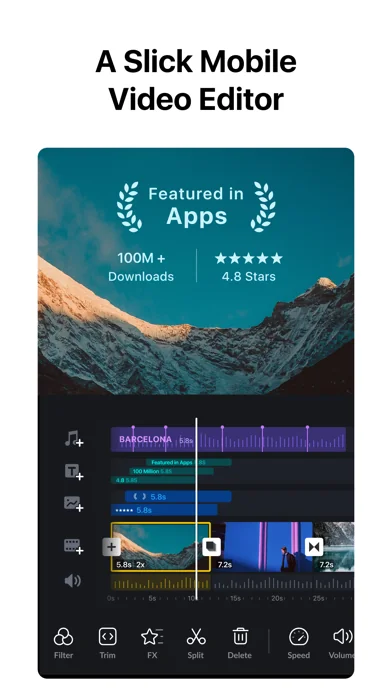
VN: Professional Video and Photo Editing—Free with No Watermark. Edit like a pro with an intuitive multi-track timeline, beat-synced templates, and powerful creative tools. Whether you're a beginner or a professional, VN helps you create high-quality videos and photos with ease.
[Smart Tools]
• Auto Captions. Automatically generate subtitles from audio—supports multiple languages, subtitle templates, and animated text styles.
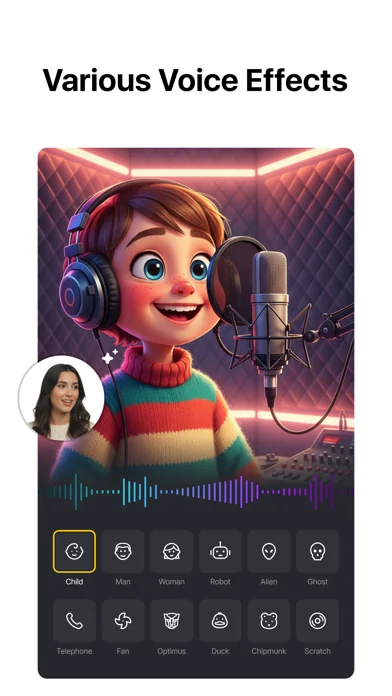
• Text-to-Speech. Generate voiceovers for your videos without recordi…
VN: Professional Video and Photo Editing—Free with No Watermark. Edit like a pro with an intuitive multi-track timeline, beat-synced templates, and powerful creative tools. Whether you're a beginner or a professional, VN helps you create high-quality videos and photos with ease.
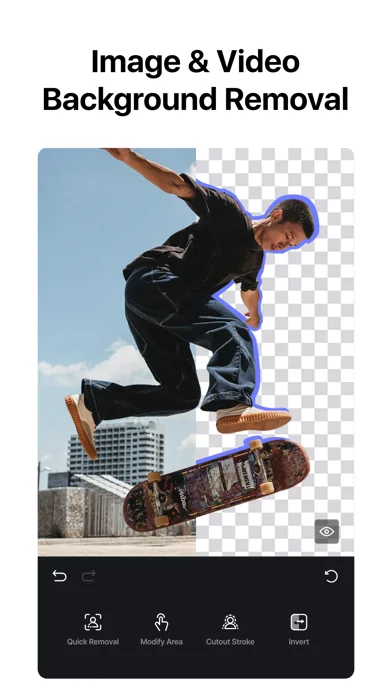
[Smart Tools] • Auto Captions. Automatically generate subtitles from audio—supports multiple languages, subtitle templates, and animated text styles. • Text-to-Speech. Generate voiceovers for your videos without recording. • Video/Photo Cutout. Remove backgrounds from videos and photos in one tap. • Smooth Slow Motion. AI frame interpolation for fluid slow-mo—even when slowing down standard frame rate footage.
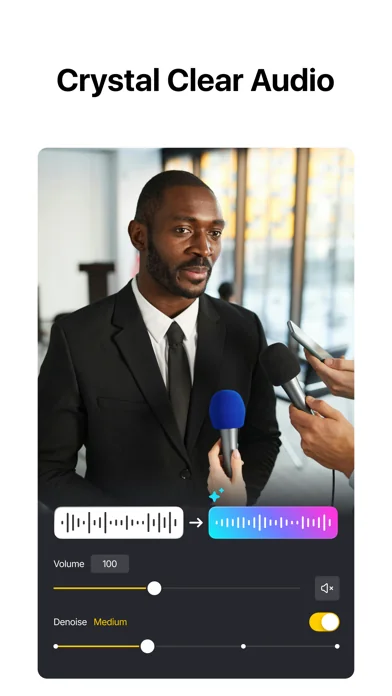
[Video Editing] • Trim & Merge. Cut clips with frame-accurate precision (0.05s) and merge them into a seamless timeline—with up to 30x zoom. • Overlay. Add overlay videos, photos, stickers, and text on a multi-layer timeline. • Masks. Apply masks to layers for precise, creative compositions. • Reverse, Zoom & Freeze Frame. Play clips backward, add zoom motion, or freeze key moments. • Add Text & Stickers. Customize text and stickers with keyframe animation. • Music & Voice-over. Add music, sound effects, and record voice-overs directly in the app. • Speed Control. Speed up or slow down clips with presets or advanced curve-based speed ramps. • Keyframe Editing. Add custom keyframe animations with 19 built-in effects and adjustable curves. • Beat Editing. Add markers to sync your clips with music beats. • Non-destructive Editing. Save drafts anytime with full undo/redo support.
[Filters, Effects & Transitions] • Cinematic Filters & LUTs. Apply built-in filters or import LUTs for a professional look. • Transitions & Effects. Smooth transitions and diverse visual effects for polished edits.
[Quick Create] • BeatsClip. Generate beat-synced templates from your video or music—use them in the template or with AutoCut. • AutoCut. Turn your footage into a finished edit automatically—select a BeatsClip template and sync clips to the beat. • Story. Organize clips along a storyline first, then generate your video. • Teleprompter. Read your script while recording talking-head videos—stay on track and never lose your flow.
[Templates] • Custom Templates. Create your own templates and reuse them across projects to keep a consistent style and edit faster. • Platform Templates. A rich library for every scenario—talking videos, Instagram Reels, Instagram Stories, Posts, YouTube videos, TikTok covers, YouTube thumbnails, festivals, business, and more.
[Photo Editing] • Add text and stickers to photos, make fun story. • Add filters and adjust brightness, contrast, etc.
[Photo Collage] • Photo Collage Maker. Stitch multiple photos with preset layouts—switch compositions anytime. • Customize Collages. Add backgrounds, filters, adjustments, text, and stickers to your collage.
[Import & Assets] • Easy Import. Add media via AirDrop, Wi-Fi, WhatsApp, Telegram, or Zip. • Asset Library. Access stickers, fonts, filters, LUTs, and more.
[Share] • High-Quality Export. Export up to 4K resolution at 60fps. • HDR Editing. Support Dolby Vision HDR (iPhone 12+). • Cross-Platform. Transfer projects via AirDrop or iCloud. • Secure Mode. Protect drafts with passwords and expiration dates. • Share to Social Apps. Share to YouTube, Instagram, TikTok, WhatsApp, and more.
• Collage — Stitch multiple photos into one image with a variety of preset layouts.
• AutoCut — Turn your footage into a finished edit automatically with BeatsClip templates synced to the beat.
• Timeline zoom — Zoom the timeline up to 30x for frame-accurate trimming and precise edits.
• Added a Sub-Track Extension toggle — When enabled manually, Sub-Tracks can extend beyond the Main Track length.
• Fixed an issue where Cross Transition might not take effect.
If you have any questions, please contact us via the following methods.
Instagram: @vnvideoeditor
Youtube丨Telegram: @vnvideoeditorapp
Email: vn.support+ios@ui.com
Official website: https://vlognow.me/
Comparable iOS apps
The five apps in Business with the closest revenue to VN: Photo & Video Editor. Click any to see its detail page.
Each forecast combines App Store rating, ratings count, monetisation model, pricing tier, IAP signals and ad-supported flag.
The base estimate is then multiplied by a per-category scaling factor learned from apps with founder-verified MRR.
Every number on this page comes from public APIs and bumetric's own snapshot history.
Full methodology covers input variables, accuracy bands per category and how we treat apps without comparable anchors.
See also the live data on VN: Photo & Video Editor's tracker page for current rating, reviews and snapshot timeline.
Building something similar? Get a free AI audit with $-revenue forecasts for every recommendation.


 Dr.Fone- Smartphone Verwaltung
 InfoGraphic and Poster Creator
 ScannerHD Pro - PDF Scan
 Watermark - Add Watermark
 AI Calorie Tracker by Yazio